Gold Coast, QLD  ·  Mon–Fri 8am–5pm
Home Services · Gold Coast

Software Installation & Configuration Gold Coast

We install and configure software correctly at your Gold Coast home — Windows, Microsoft 365, printers, email, backup and more. Done right, explained clearly, working before we leave. Same-day service available.

or call 07 3041 8993
Same-day response Gold Coast local No fix, no fee

Software Installation & Configuration Gold Coast — Quick Summary

Software Installation & Configuration Services Gold Coast

Getting software to work the way it should takes more than just clicking Install. Our Gold Coast technicians set everything up correctly at your home — signed in, configured, tested and ready to use. This service is part of our broader computer repair Gold Coast offering. If your computer is also running slowly after a new install, we can address that in the same visit.

Windows Installation & Setup Gold Coast

Clean Windows install or upgrade, fully updated and configured at your Gold Coast home — drivers, settings and preferences all sorted.

Microsoft 365 Setup Gold Coast

Word, Excel, Outlook, Teams and OneDrive installed, licensed and signed in — configured correctly across all your Gold Coast devices.

Printer & Scanner Installation Gold Coast

Wired and wireless printers installed with correct drivers, connected to your network, tested and printing before we leave.

Email Account Configuration Gold Coast

Gmail, Outlook, iCloud and other accounts set up on your computer, phone or tablet — folders, signatures and settings included.

Backup Software Setup Gold Coast

Automatic backups configured to an external drive or cloud so your Gold Coast home computer’s files are always protected.

New PC Setup & Data Transfer Gold Coast

Getting a new computer? We move your files, accounts, programs and settings from your old device — nothing gets left behind.

Why Gold Coast Residents Choose Bcom IT Solutions

Done Right at Your Home

We come to you, install everything correctly and don’t leave until it’s working — no manuals or guesswork left for you.

Fast Response Gold Coast

Software problems can bring your day to a halt. We prioritise quick attendance — most Gold Coast bookings are confirmed for the same day, with a technician arriving within a few hours of your call.

Plain English, No Jargon

We explain what we’ve done and how to use it. You’ll feel confident with your software before we leave.

No Fix, No Fee

We only charge when the job is done and working. If the software cannot be installed or configured to a working state, there is no charge for the visit.

Software Installation & Configuration Gold Coast

What Happens During a Software Installation Visit

Software installation and configuration on the Gold Coast is a hands-on service. A technician comes to your home, works through each item on your list, and does not leave until everything is set up and working. That means signed in, tested, and explained to you in plain language before the visit ends.

The visit starts with a quick conversation. The technician asks what you need, checks what is already on the computer, and confirms the plan before touching anything. If there are licensing issues or compatibility problems, they are identified upfront. There are no surprises and no work begins without your approval.

For a household in Varsity Lakes setting up a new computer, the technician might install Windows, configure Microsoft 365, set up a Gmail account in Outlook, connect a wireless printer, and run a test print — all in a single visit. For a retired couple in Palm Beach who bought a new laptop, the same visit might include transferring files from the old machine, setting up iCloud, and walking through how to use the new device.

Every setup is tested before the technician leaves. If something is not working correctly, it gets fixed on the spot. You will not be handed a device and told to figure out the rest yourself. The goal is to leave your Gold Coast home with software that works the way you need it to. Call 07 3041 8993 to arrange a visit.
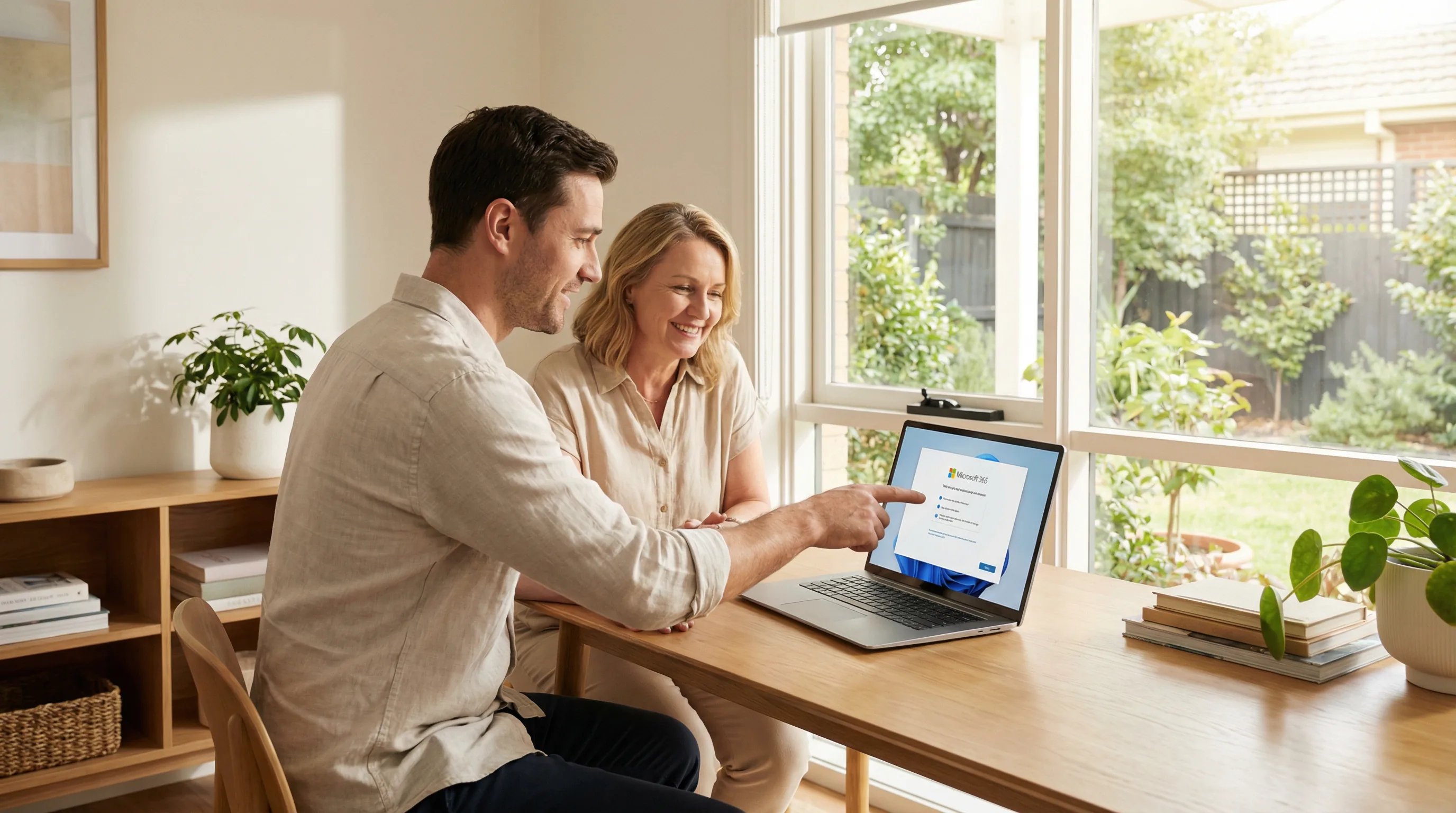
IT technician helping with software installation and configuration at a Gold Coast home

Software installation & configuration — done right at your Gold Coast home
How It Works

How Our Software Installation Service Works

From your first call to a fully configured computer — here is what the software installation process looks like for Gold Coast residents.

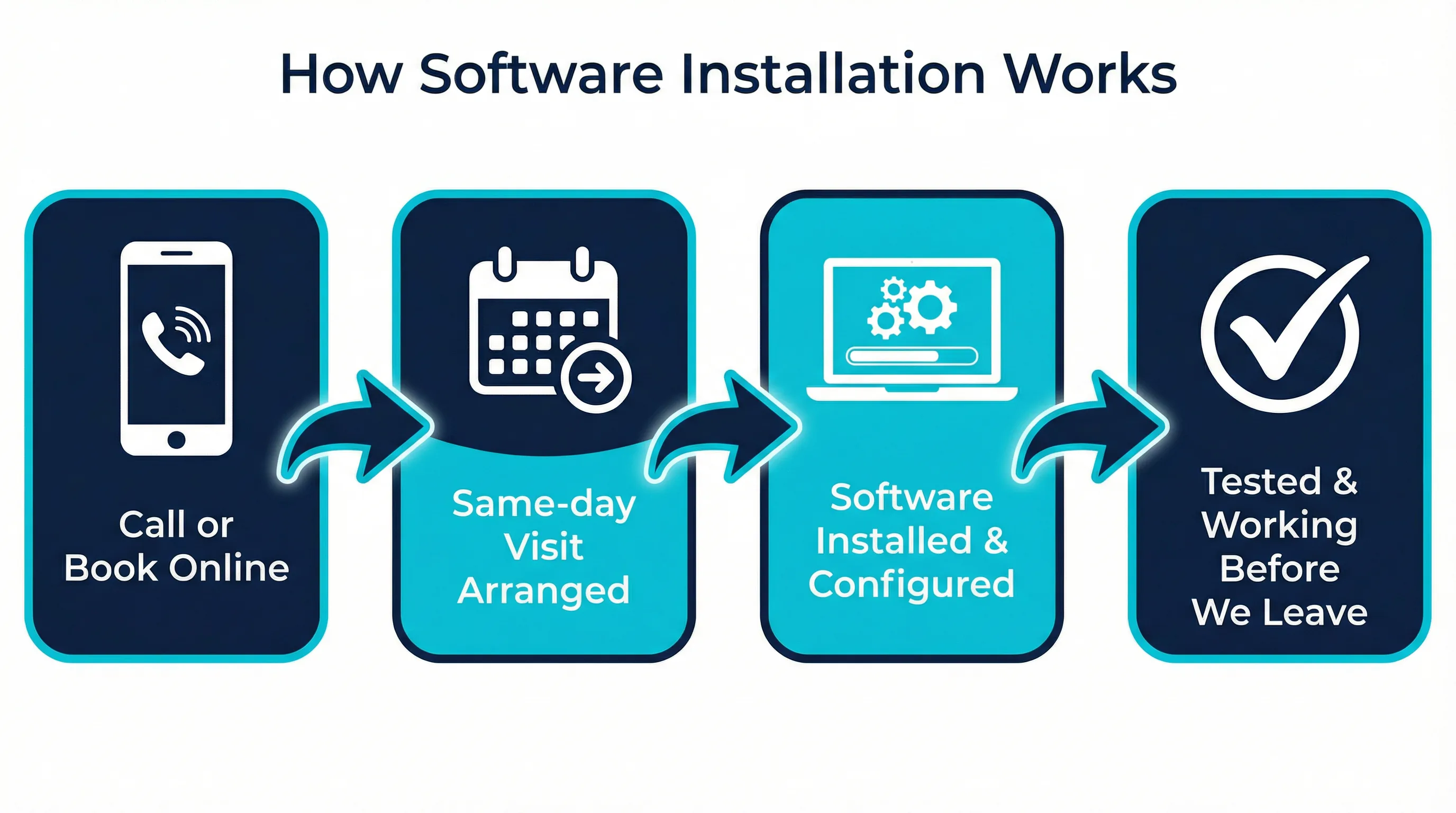
Infographic showing the 4-step software installation and configuration process on the Gold Coast

The process starts with a call or an online booking. You describe what you need — whether it is a fresh Windows install, Microsoft 365 setup, a printer that will not connect, or a full new computer setup — and we confirm the visit time. Same-day appointments are available across all Gold Coast suburbs, and we aim to be with you within 2 to 4 hours of your call where possible.

When the technician arrives, they start with a quick check of your current setup. This helps them understand what is already installed, what licences you have, and whether there are any compatibility issues to work around. It usually takes no more than a few minutes, and you will know the full cost before any work begins.

The installation and configuration work is done in front of you. You can watch, ask questions, and flag anything that does not look right. Once each item is set up, the technician tests it thoroughly — sending a test email, printing a test page, opening a document in Word, checking that OneDrive is syncing. Nothing is marked as done until it actually works.

Before leaving, the technician walks you through what has been set up and how to use it. If you have questions about how to find your files, how to add another email account later, or how to check that your backups are running, they will answer them on the spot. The visit ends when you are satisfied, not when the clock runs out. For bookings across Southport, Robina, Helensvale, Coomera and all other Gold Coast suburbs, call 07 3041 8993.

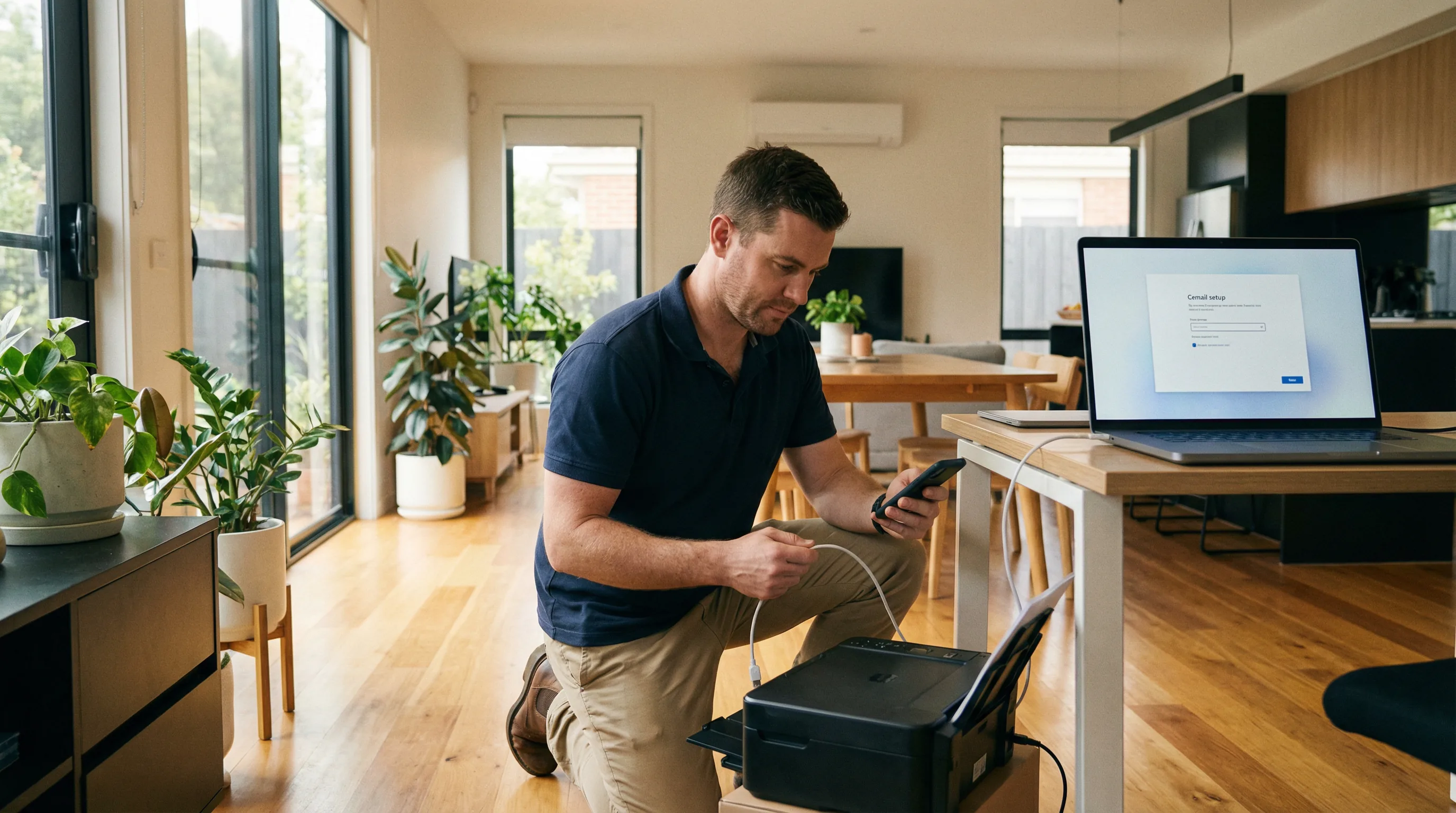
Technician setting up a wireless printer and email configuration at a Gold Coast home

Printer & email setup — configured and tested before we leave

Common Software Setups Gold Coast

Software Setups We Handle Every Day Across the Gold Coast

Microsoft 365 is one of the most common software installation requests we receive across the Gold Coast. Licensing errors, sign-in loops, Outlook not connecting to email, OneDrive not syncing — these are all issues that look straightforward but can take hours to sort out without the right knowledge. A technician who has seen the same problem dozens of times across Burleigh Heads, Nerang and Broadbeach can usually resolve it in under an hour.

Printer setup is another frequent call. A wireless printer that will not connect to the home network, a scanner that the computer does not recognise, or a printer that worked on the old computer but not the new one — these are all solvable on-site. The technician installs the correct drivers, connects the device to the network, and runs a test print before leaving. If the scanner needs to be configured separately, that is done in the same visit.

Email account configuration is something many Gold Coast residents find frustrating. Setting up Gmail, Outlook or iCloud on a new computer involves more than just entering a password. Folders need to be synced, signatures need to be set up, and on some accounts two-factor authentication needs to be configured correctly. Getting it wrong means emails that do not arrive, or a sent folder that does not match between devices. Getting it right means everything works consistently across your computer, phone and tablet.

New computer setup and data transfer is a service that combines several of these tasks into one visit. When a household in Coolangatta or Surfers Paradise buys a new laptop, the old one still has years of files, photos, emails and bookmarks on it. Transferring everything correctly — not just copying files, but making sure accounts are signed in and programs are configured — takes time and care. We do it in a single visit and check that nothing has been missed before we leave.

Getting the Most from Your Software After Installation

Having software installed correctly is the first step. Knowing how to use it confidently is what makes the difference day to day. That is why every software installation visit on the Gold Coast includes a walkthrough at the end. The technician shows you how to find your files, how to open the programs you need, and how to do the things you asked about — whether that is attaching a document to an email, saving to OneDrive, or printing from a phone.

For Gold Coast residents who are less familiar with technology, this part of the visit is often the most valuable. It is one thing to have Outlook set up correctly. It is another to feel confident using it. The technician does not rush through the explanation. If you need to see something twice, they show it twice. If you have a question that comes up after they have left, you can call and ask.

Backup software is worth mentioning separately. Many Gold Coast homes have years of photos, documents and emails stored on a single computer with no backup in place. When the hard drive fails — and eventually most do — everything on it is gone. Setting up a reliable backup during a software installation visit takes 15 to 20 minutes and can save years of irreplaceable files. We can configure automatic backups to an external drive, to cloud storage, or to both. The backup runs in the background and you do not need to think about it again.

Antivirus and security software is another item worth addressing during the same visit. A freshly installed Windows computer is not automatically protected. Many Gold Coast residents assume that because they have not downloaded anything suspicious, their computer is safe. In practice, a computer without up-to-date security software is vulnerable from the moment it connects to the internet. We install and configure the right protection for your situation, explain what it does, and make sure it is set to update automatically.

If you are working from home in Robina or Helensvale, or running a small home-based business, software setup also includes making sure your tools work together. That might mean configuring Outlook to work with your business email, setting up Teams or Zoom for video calls, or making sure your files are accessible from both your desktop and your laptop. We handle all of it in a single visit and do not leave until everything is connected and working. Call 07 3041 8993 to book.

Software Installation & Configuration Gold Coast — Frequently Asked Questions

Software Installation & Configuration Across the Gold Coast

Bcom IT Solutions (ABN 92 636 893 108) provides on-site software installation and configuration across the Gold Coast. From Southport and Robina to Burleigh Heads, Nerang, Coomera and Palm Beach — we come to you. If your computer also needs a repair, our on-site computer repair Gold Coast team can handle both in the same visit. Call 07 3041 8993 to book.

Southport Burleigh Heads Robina Nerang Helensvale Coomera Palm Beach Varsity Lakes Coolangatta Surfers Paradise Broadbeach
Gold Coast’s Trusted IT Team

Get Your Software Installed Correctly on the Gold Coast Today

We come to your Gold Coast home, install everything correctly and don’t leave until it’s working. Call us or book online today.

Same-day response Gold Coast local No fix, no fee

Last updated: March 2026