Gold Coast, QLD  ·  Mon–Fri 8am–5pm
Home Services · Gold Coast

OS Troubleshooting & Repair Gold Coast

Windows crashing? Mac won't boot? We diagnose and fix operating system faults at your Gold Coast home — no drop-off required. Same-day service available across Southport, Robina, Burleigh Heads & surrounds.

or call 07 3041 8993
Same-day response Gold Coast local No fix, no fee

OS Troubleshooting & Repair Gold Coast — Quick Summary

Our OS Troubleshooting & Repair Services on the Gold Coast

From a Windows PC that won't boot to a Mac stuck on the loading screen, our Gold Coast technicians diagnose and fix all operating system faults on-site at your home. This page covers OS repair in detail — for our full range of repair services visit our computer repair Gold Coast hub page. If your device has a virus causing OS problems, see our virus and malware removal Gold Coast service.

Blue Screen & Crash Repair Gold Coast

We diagnose and resolve BSOD errors, kernel panics and recurring system crashes at your Gold Coast home.

Boot Failure & Startup Repair Gold Coast

Windows or macOS won't start? We recover access to your system and fix the underlying boot fault on-site.

OS Reinstallation Gold Coast

Clean Windows or macOS reinstallation with data preserved where possible — performed at your Gold Coast address.

Corrupt System File Repair Gold Coast

We repair or replace corrupted Windows and macOS system files that are causing errors, crashes or instability.

Failed Update Recovery Gold Coast

Stuck on a Windows update? macOS update gone wrong? We roll back or repair failed OS updates and restore normal operation.

Driver & Software Conflict Fix Gold Coast

We identify and resolve driver conflicts, incompatible software and OS configuration errors causing instability on your device.

How OS Troubleshooting Works at Your Gold Coast Home

When your computer starts behaving strangely, the operating system is often the place to start looking. OS troubleshooting on the Gold Coast begins with a structured diagnostic process — not guesswork. A technician will look at how the system boots, what errors appear, which processes are consuming resources, and whether the fault is tied to a recent change like a software install or a Windows update.

The first step is always to gather information. A computer that crashes randomly tells a different story to one that fails to boot at all. A system that runs slowly after a Windows update is a different problem to one that slows down only when a specific application is open. Understanding the pattern of the fault is what allows a technician to go directly to the source rather than spending time on areas that are not relevant.

Once the fault is identified, the repair approach depends on what is found. Some OS issues can be resolved by rolling back a driver or removing a conflicting application. Others require a repair installation of Windows, where the operating system files are refreshed without touching your personal data. In more serious cases — such as a corrupted boot sector or a failed system partition — a clean reinstall may be the right path. Before any reinstall, your files are backed up first.

Gold Coast homes vary a lot in how they use computers. A household in Varsity Lakes might have a family desktop running Windows 11 that the kids use for school and gaming. A home office in Robina might rely on a MacBook for client work and video calls. A retiree in Palm Beach might have an older Windows 10 machine that has never had a proper service. Each situation calls for a different approach, and a good technician will tailor the repair to what the device actually needs — not a one-size-fits-all fix.

Most OS troubleshooting visits take between one and three hours. If the fault is straightforward, the repair is often completed in a single visit. If a reinstall is needed and the device is slow, the process may take longer — but you will always know what is happening and why before any work begins. Call 07 3041 8993 to talk through your situation before booking.
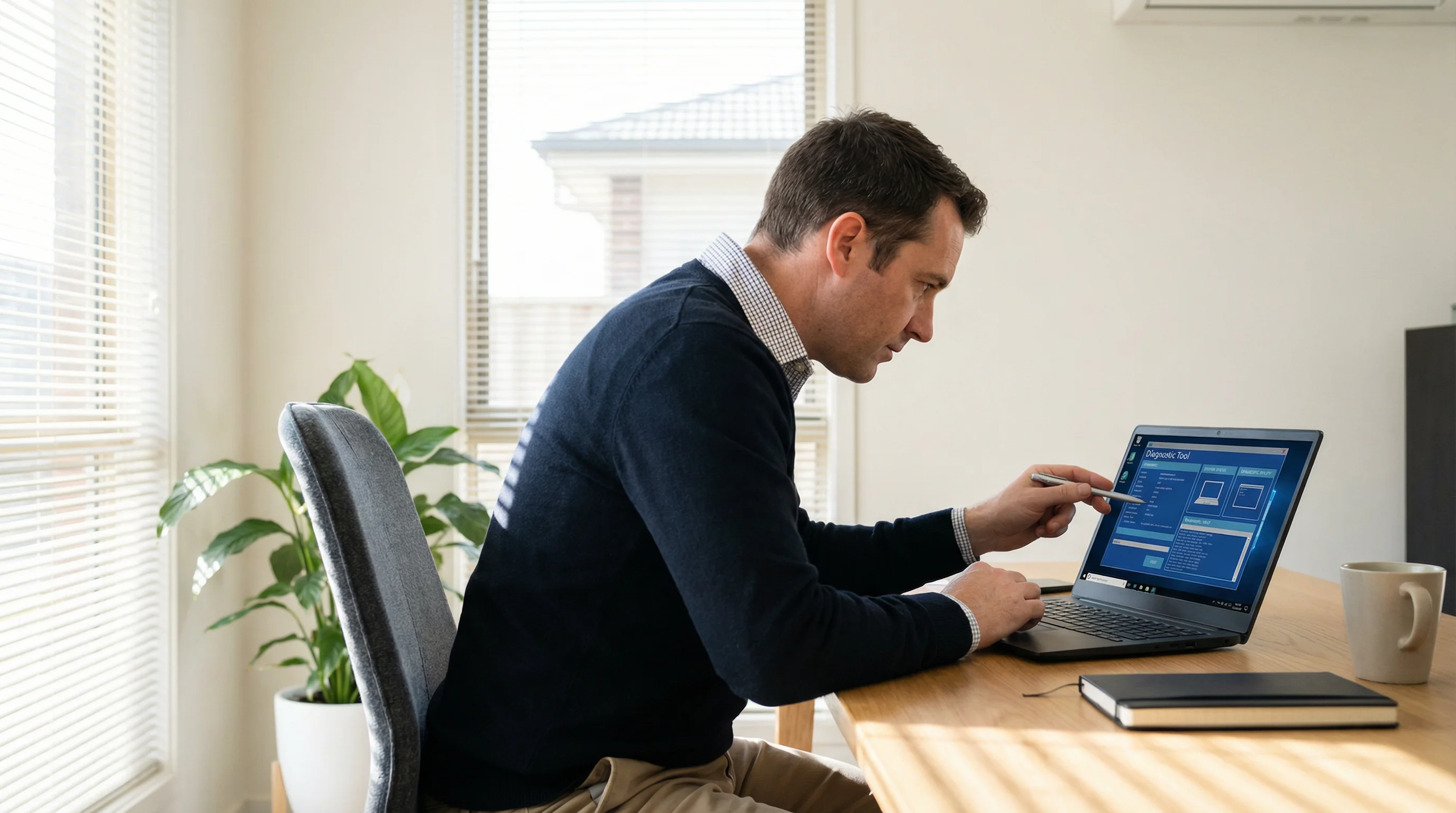
OS troubleshooting technician diagnosing a laptop at a Gold Coast home
OS troubleshooting and repair — we come to your Gold Coast home

Boot Failures, Blue Screens and Windows Recovery on the Gold Coast

A computer that will not start is one of the most stressful faults a Gold Coast household can face. Whether it is a laptop that shows a black screen on startup, a desktop that cycles through a restart loop, or a machine stuck on a blue screen with an error code, these faults are almost always fixable — and in most cases, your data can be recovered intact.

Boot failures on Windows systems are commonly caused by a few specific things. A corrupted boot configuration file (BCD) is one of the most frequent culprits. This file tells Windows where to find the operating system when the computer starts. If it becomes damaged — through a power cut during an update, a failed disk write, or a system crash — the computer cannot find Windows and will not load. The fix is to repair or rebuild the BCD using Windows recovery tools, which can often be done without reinstalling anything.

Blue screen errors (BSOD) are another common OS fault. Each blue screen carries a stop code that points to a specific type of failure. A MEMORY_MANAGEMENT error suggests a RAM or driver issue. A CRITICAL_PROCESS_DIED error usually means a core Windows process has failed, often due to a corrupted system file. An INACCESSIBLE_BOOT_DEVICE error indicates the system cannot read the drive it needs to start. A technician who knows how to read these codes can go directly to the cause rather than spending hours trying random fixes.

Windows updates are a common trigger for boot failures across the Gold Coast. A major feature update or a cumulative security patch can occasionally leave a system in a broken state — particularly on older hardware or machines that have not been maintained. In these cases, rolling back the update through the Windows recovery environment is often the fastest path to a working computer. If the update cannot be rolled back, a repair installation of Windows will restore the system files without removing your personal data.

macOS systems can also develop boot faults, though they are less common. A Mac that shows a folder with a question mark on startup has lost its connection to the startup disk. A Mac stuck on the loading bar may have a corrupted system volume. Apple's built-in recovery environment provides tools to repair the disk and reinstall macOS, and a technician familiar with both platforms can work through these issues at your Gold Coast home without needing to take the machine away.

If your computer will not start and you are worried about your files, do not attempt multiple restarts or try to force the system to load. Each failed boot attempt can sometimes make recovery harder. The safest step is to stop and call 07 3041 8993. A technician can assess the situation and tell you honestly what is possible before any work begins.

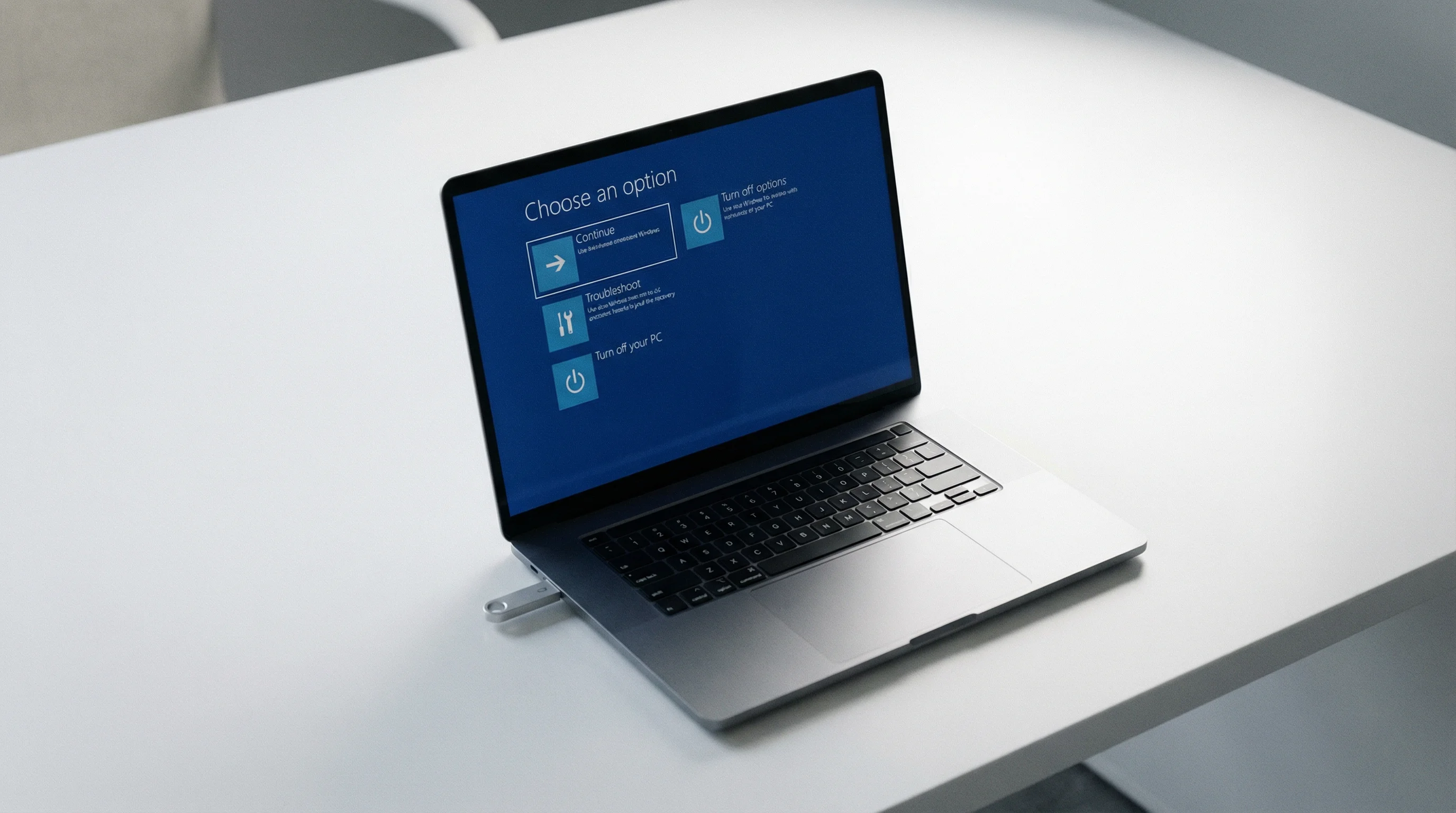
Windows recovery environment on a laptop during OS repair Gold Coast
Windows recovery and boot failure repair — Gold Coast home service

Why Gold Coast Residents Choose Bcom IT Solutions

We Come to You

No need to disconnect your computer and carry it to a shop. We come to your Gold Coast home at a time that suits you.

Fast Response Gold Coast

OS faults can stop you working entirely. We treat them as urgent. A technician is usually at your Gold Coast home within 2–4 hours, and we confirm availability when you call.

Transparent Pricing

You're quoted before we start — no surprise bills. Fixed rates, clear communication, no hidden fees.

No Fix, No Fee

If Windows or macOS is still not working correctly after our visit, you will not be charged. We document what we found and give you honest advice on the next step.

OS Troubleshooting & Repair Available Across the Gold Coast

Bcom IT Solutions (ABN 92 636 893 108) attends homes across the Gold Coast for OS troubleshooting and repair. There is no need to pack up your computer and take it anywhere — we come to you, diagnose the issue on-site, and fix it before we leave. Call 07 3041 8993 to check availability and book, or use the booking button below.

Southport Burleigh Heads Robina Nerang Helensvale Coomera Palm Beach Varsity Lakes Coolangatta Surfers Paradise Broadbeach

Need help with a slow computer rather than an OS fault? See our on-site computer repair Gold Coast service.

OS Troubleshooting & Repair Gold Coast — Frequently Asked Questions

We repair both Windows and macOS systems. Whether you have a Windows 10 or 11 PC, a Windows laptop, a MacBook or an iMac, our Gold Coast technicians can diagnose and fix OS-level faults on-site at your home. We work with all versions of Windows and macOS currently in use.

Yes. Boot failures, crash loops and blue screen errors are among the most common OS faults we fix across the Gold Coast. In most cases we can diagnose and resolve the issue on-site without needing to take your device away. Call 07 3041 8993 and describe what's happening — we'll let you know what's likely involved before you book.

Not necessarily. In most cases we can back up your data before reinstalling the OS, then restore your files afterwards. Data recovery is always our first priority before any reinstallation. Even if your system won't boot, we can often extract your files first. We'll explain exactly what's possible before we do anything at your Gold Coast home.

Most OS faults — including crash repairs, corrupt file fixes and driver conflicts — can be resolved in a single visit of 1–3 hours. OS reinstallation may take longer depending on the size of your data and the speed of your device. We'll give you an honest time estimate before we start. Call 07 3041 8993 to discuss your situation.

Yes, this is a very common issue. Windows updates occasionally cause boot failures, driver conflicts or system instability. We can roll back the problematic update, repair any damage it caused, and get your Gold Coast computer running normally again — all at your home without a drop-off.

GOLD COAST'S TRUSTED IT TEAM

Get Your OS Fixed by a Gold Coast Technician Today

Windows crashing, macOS not loading, or a failed update causing problems? Our Gold Coast technicians diagnose and fix OS faults at your home — call us or book online.

Same-day response Gold Coast local No fix, no fee

Last updated: March 2026

Call Now Book Online